
Upload a GIF or use the demo
Choose a clear GIF, or load the demo to try the free GIF face swap inputs.
Create a free face swap GIF with this AI GIF face swap tool: upload a GIF and one authorized face photo. For group GIFs, choose Multiple Faces, then preview and download the result.
Free · No sign-up · GIFs up to 10 MB and 30 seconds
Or try a synthetic source photo
Or try a synthetic sample face
 Sample Photo
Explore selected public face swap creations.
How it works
01 — 03
Choose a clear GIF, or load the demo to try the free GIF face swap inputs.
Add a clear face photo, choose the target face when needed, and confirm you have permission to use every face.
Start the task, follow its status, preview the completed swap, and download the face swap GIF.
Public result gallery
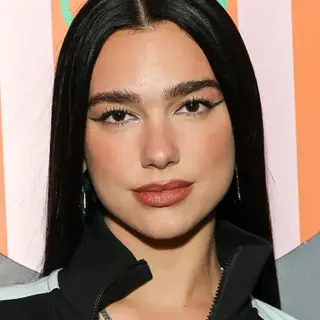



Compare each source GIF with its completed face swap GIF from the same published task. Every AI GIF face swap result includes the reference face used for that creation.
Create your own GIF







AI GIF Face Swap
A focused GIF face swap workflow keeps the source, authorized replacement face, and finished GIF easy to understand and manage.
Keep the single-face task clear by pairing one GIF or short video with one authorized face photo.
Try the Basic GIF workflow without signing up; additional modes and usage require an account.
Open completed creations, download the result, or delete tasks from My Creations in this browser.
GIF & Video Inputs
Use the same GIF face swap workflow for an animated GIF or short video: upload one source, add one authorized face photo, then preview and download the finished GIF.
 Animated GIF
Replace one face in a short reaction, meme, or looping animation without editing individual frames.
Upload a supported short video, swap one authorized face, and download the completed result as a shareable GIF.
Quick answers
Answers about free previews, input limits, accounts, multiple faces, downloads, deletion, and responsible use.
Yes. The free GIF faceswap workflow lets you generate a short-GIF preview without signing up. Guest creations remain available in My Creations in this browser; sign in for additional modes.
Upload a GIF and one authorized face photo, confirm permission, then use the face swap GIF tool above to create, preview, and download the resulting faceswap GIF.
The current preview accepts a source GIF up to 10 MB and 30 seconds. Face photos can be JPG, PNG, or WEBP files up to 8 MB. These checks run before generation.
No account is required for GIF generation on the homepage. Recent guest GIFs remain available in My Creations in this browser. Photo, multiple-face, batch, HD, and additional usage require sign-in.
Yes. Open Multiple Face Swap for GIF & Video to detect target faces and map authorized replacement photos in one authorized GIF or video.
The current GIF workflow provides a downloadable face swap GIF when generation succeeds. Other export formats are not part of the current homepage promise.
Yes. Guests and signed-in users can preview, download, or delete their completed tasks from My Creations. Guest results are tied to this browser; see the Privacy Policy for the current media handling rules.
Do not upload faces without permission or use the tool for minors, sexual content, impersonation, fraud, harassment, political deception, or illegal activity. Review the Content Policy and use Report Abuse for suspected misuse.
Keep creating
Choose the workflow that matches your media and the number of faces you want to replace.
Explore another image tool: Mona Lisa 1